> ## Documentation Index
> Fetch the complete documentation index at: https://docs.celo.org/llms.txt
> Use this file to discover all available pages before exploring further.
# Verify Smart Contract using Remix
* Verifying a smart contract allows anyone to review your code from within the Celo Block Explorer. This can be done using the Remix Sourcify Plugin.
* Navigate back to the **Remix IDE**, select **Plugin Manager** from the left side menu.
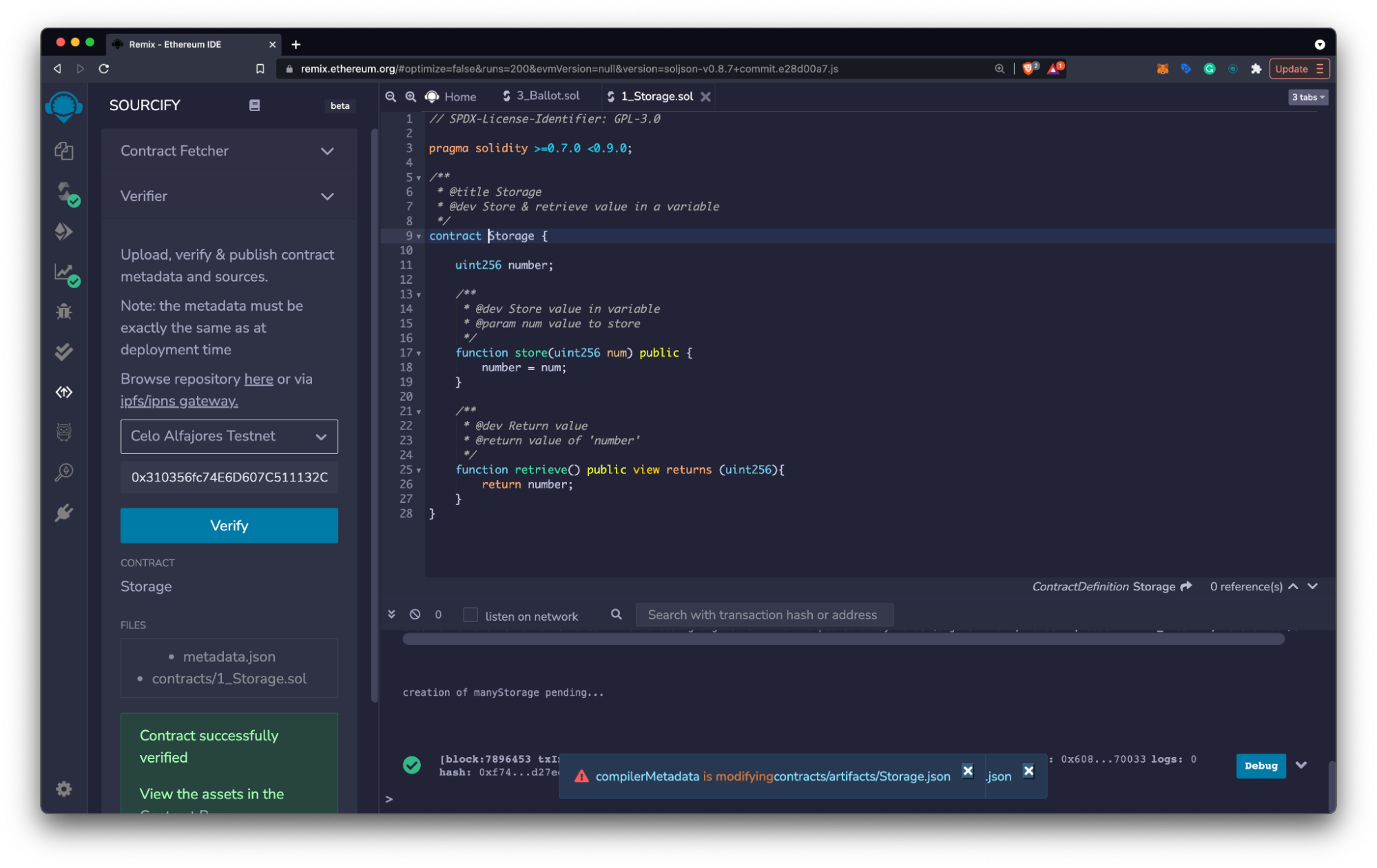
* Search for **Sourcify**, click Activate, and open the newly installed **Sourcify Plugin**.
* Choose Verifier, select the dropdown menu, and choose the location for your deployed contract (example **Celo Sepolia**).
* Paste your contract address into the **Contract Address** field and select **Verify**.
The source code of the contract that you are verifying will need to be in Remix. Contracts deployed with Hardhat, and other tools can also be verified using the Remix Sourcify plugin, but you will need to copy your contract source code into Remix first.
 * Navigate to the **Contract Address Details Page** in the block explore to, use the **Code, Read Contract**, and **Write Contract** panels to view and interact with your deployed smart contract.