> ## Documentation Index
> Fetch the complete documentation index at: https://docs.celo.org/llms.txt
> Use this file to discover all available pages before exploring further.
# Deploy on Celo with Hardhat
How to deploy a smart contract to Celo testnet, Mainnet, or a local network using [Hardhat](https://hardhat.org/).
***
## Introduction to Hardhat
[Hardhat](https://hardhat.org/) is a development environment to compile, deploy, test, and debug your Ethereum or Celo software. It helps developers manage and automate the recurring tasks that are inherent to the process of building smart contracts and dApps, as well as easily introducing more functionality around this workflow. This means compiling, running, and testing smart contracts at the very core.
## Prerequisites
To deploy on Celo using Hardhat, you should have Celo set up Celo in your local environment. If you prefer to deploy without a local environment, you can deploy using Remix or Replit.
* [Using Windows](/tooling/overview/setup/windows)
* [Using Mac](/tooling/overview/setup/mac)
* [Using Replit](/tooling/overview/setup/replit)
## Create Hardhat Project
Choose one of the following items to prepare a dApp to deploy on Celo.
* Follow the [installation instructions and quickstart](https://hardhat.org/getting-started/#installation) to build and deploy your smart contract.
## Update the hardhat.config.js file
Open [hardhat.config.js](https://hardhat.org/config/) in a text editor and replace its contents with this [Celo configuration code](https://github.com/celo-org/celo-composer/blob/main/templates/contracts/hardhat/hardhat.config.ts.hbs). This code is similar to Hardhat settings with a few configuration updates needed to deploy to a Celo network. You will need to create a `.env` file in the project root directory and install `dotenv` with npm or yarn in order to read the `process.env.MNEMONIC` variable in the config file.
### Connect to Testnet using Forno
Using [Forno](/tooling/nodes/forno) allows you to connect to the Celo test blockchain without running a local node. The testnet configuration uses Forno to connect you to the Celo Sepolia Testnet using HDWalletProvider and the mnemonic stored in your **.env** file.
```js theme={null}
celoSepolia: {
url: "https://forno.celo-sepolia.celo-testnet.org/",
accounts: {
mnemonic: process.env.MNEMONIC,
path: "m/44'/52752'/0'/0"
},
chainId: 11142220
}
```
Celo uses a different account derivation path than Ethereum, so you have to specify "m/44'/52752'/0'/0" as the path.
### Connect to Mainnet using Forno
Using [Forno](/tooling/nodes/forno) also allows you to connect to the Celo main blockchain without running a local node. The Mainnet configuration uses Forno to connect you to the Celo Mainnet using HDWalletProvider and the mnemonic stored in your **.env** file.
```js theme={null}
celo: {
url: "https://forno.celo.org",
accounts: {
mnemonic: process.env.MNEMONIC,
path: "m/44'/52752'/0'/0"
},
chainId: 42220
}
```
[Forno](/tooling/nodes/forno) is a cLabs hosted node service for interacting with the Celo network. This allows you to connect to the Celo Blockchain without having to run your own node.
## Deploy to Celo
Run the following command from your root project directory to deploy to Celo Sepolia testnet.
```shell theme={null}
npx hardhat run scripts/sample-script.js --network celoSepolia
```
...or run this command to deploy to Celo Mainnet.
```shell theme={null}
npx hardhat run scripts/sample-script.js --network celo
```
## View Contract Deployment
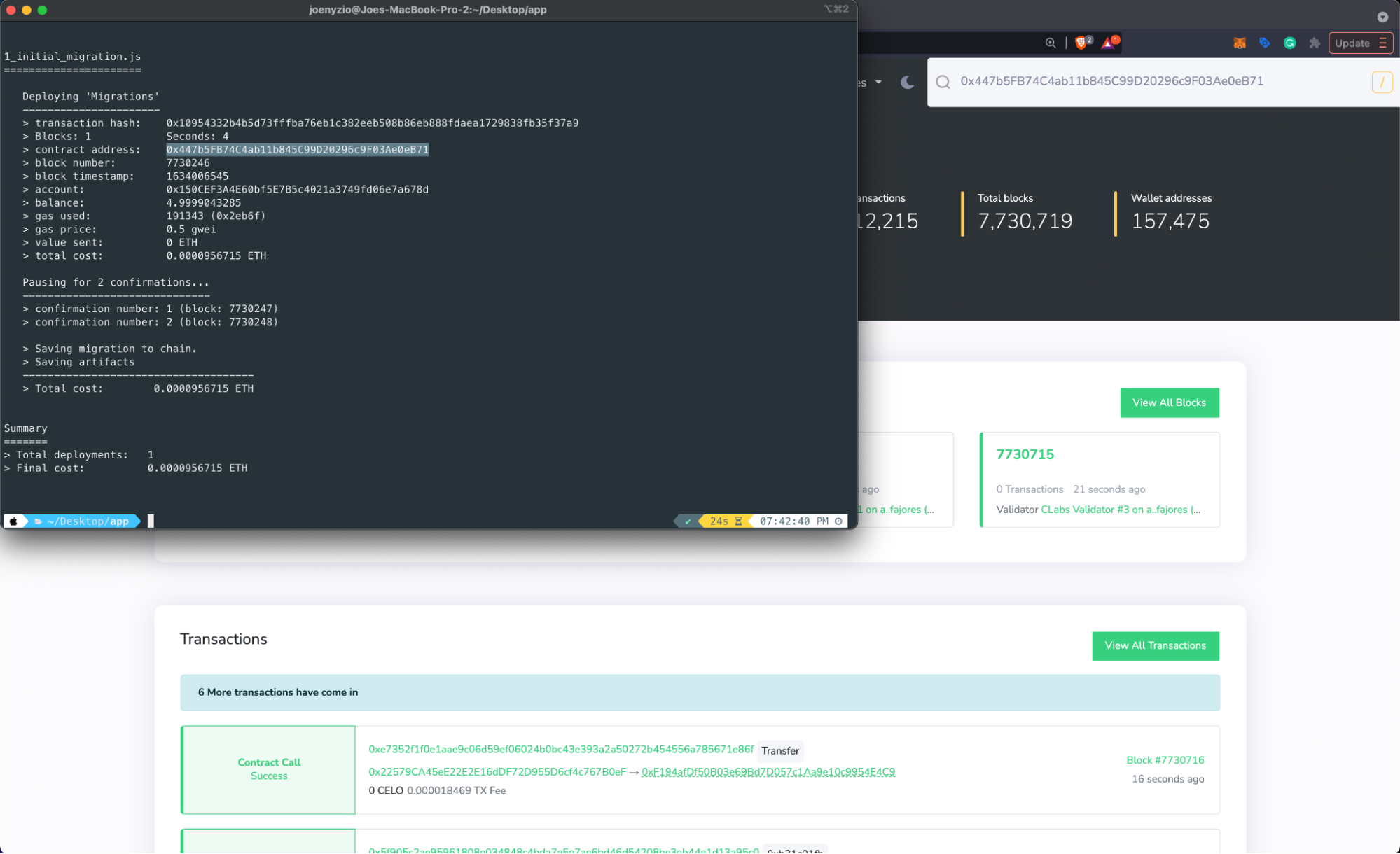
Copy your **contract address** from the terminal and navigate to the [block explorer](https://celo.blockscout.com/) to search for your deployed contract. Switch between networks to find your contract using the dropdown by the search bar.
 Learn more about building and deploying dApps using the HardHat documentation.
## Verify Contracts on Celo
* [Using Blockscout](/developer/verify/blockscout)
* [Using Remix](/developer/verify/remix)
* [Using CeloScan](/developer/verify/celoscan)
* [Using Hardhat](/developer/verify/hardhat)
Learn more about building and deploying dApps using the HardHat documentation.
## Verify Contracts on Celo
* [Using Blockscout](/developer/verify/blockscout)
* [Using Remix](/developer/verify/remix)
* [Using CeloScan](/developer/verify/celoscan)
* [Using Hardhat](/developer/verify/hardhat)